Licensing
Licensing
A license is needed to use the Signature SDK and there are different requirements depending on the platform. Licenses are supplied as text strings in the JSON Web Token (JWT) format and must be included in your application code.
Mobile – Android
For initial development download an evaluation license from the developer website as follows:
- Open the Developer Dashboard: https://developer.wacom.com/developer-dashboard. To open the page you will need to login with your Wacom ID
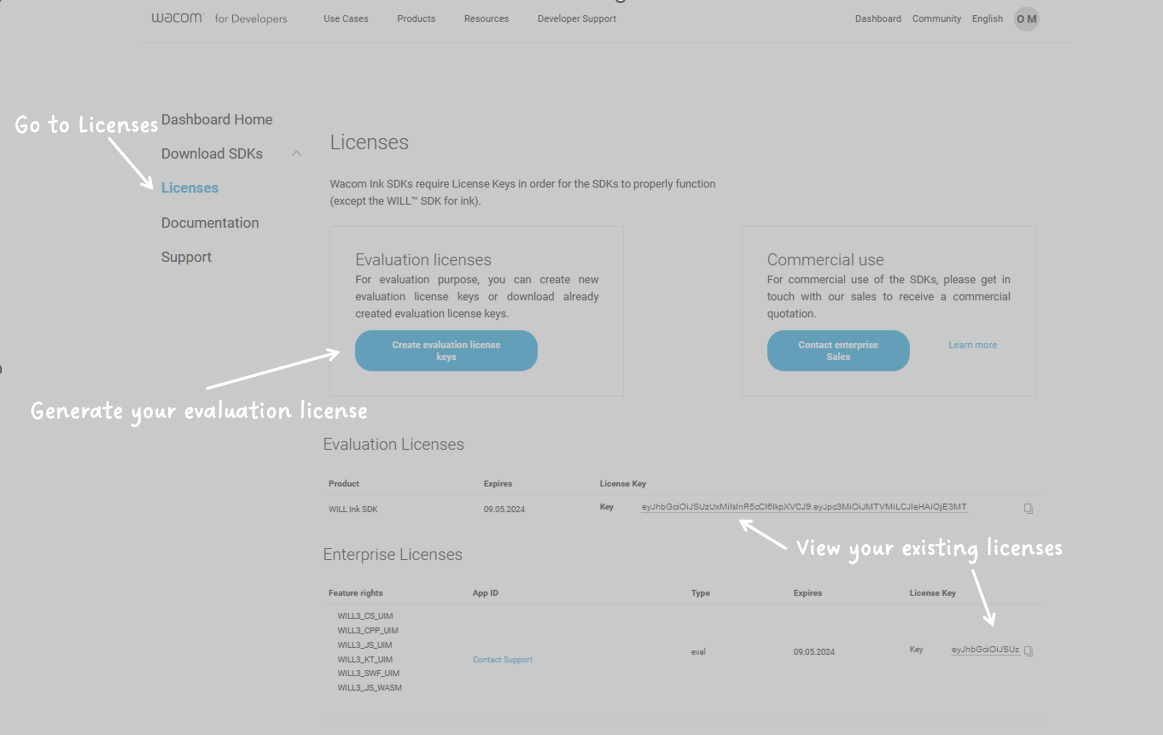
- Select Licences to display the License Keys page
- Click New Evaluation License: The licenses expire after 3 months but can be renewed at any time by revisiting the license key page.
To obtain a commercial license you will need to contact your local sales representative – see below.
In addition to supplying your Wacom ID you will need to provide your application ID when contacting sales:
| OS | Description |
|---|---|
| Android | Application IDs should match the android.defaultConfig.applicationId, found in the build.gradle file. |
Windows
The Signature SDK for Windows can be used free of charge with an evaluation license downloaded from our Developer Relations side.
A license includes:
- Signature capture using Wacom devices
- Signature capture using non-Wacom devices
- Signature encryption
- ISO signature format support
Users are required to log in to access this page.
Obtaining a commercial customer-specific license will require users to contact their local sales representative.
For information on testing these functionalities, see Getting Started in the GitHub samples:
https://github.com/Wacom-Developer/sdk-for-signature-windows/blob/master/GETTING-STARTED.md
Evaluation License
Navigate to https://developer.wacom.com/developer-dashboard.
- Login using your Wacom ID
- Select Licenses
- Select New Evaluation License
- Select Generate Evaluation License for Wacom Ink SDK for signature
- Return to Licenses where the new license file is ready for download
- Copy the license file
The license can be copied as a text string in a text file and will need to be copied into your application. The self-service evaluation licenses have a three-month expiry date from the time of creation.
The only limitation of the evaluation license is that 'Evaluation' will be displayed in signatures captured using the license.
Contacting Sales
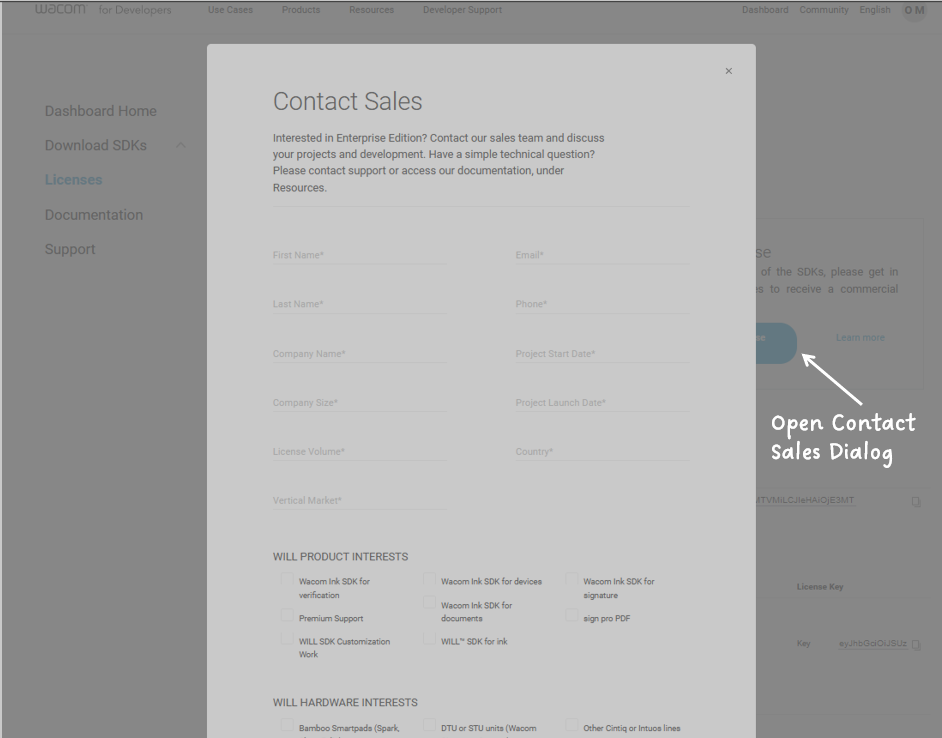
The price of commercial (production) licenses is beyond the scope of this document and will need to be discussed with your regional Wacom Sales representative. To make initial contact use the Contact Sales link on the developer website: https://developer.wacom.com
Having submitted the contact form with your details you will then be able to communicate directly with a sales representative in your region.
Downloading a Commercial License
To use any of the functions without an evaluation watermark, you will need a commercial license.
Once a commercial license has been arranged through Wacom Sales follow these steps to download the license:
- Open the Developer Dashboard: https://developer.wacom.com/developer-dashboard To open the page you will need to login with your Wacom ID
- Select Licences to display the License Keys page
- Licenses created by Sales will be listed on the page and can be downloaded using the Download icon provided.
If you do not have contact with a Wacom Sales Representative, please inform us here: